Keep your tools. Lose the fragmentation.
Stop bouncing between Apple Mail, Calendar, Reminders, Apple Contacts, Things 3, OmniFocus, Todoist, Asana, Jira, Redmine, Safari Reading List, and TheBrain. HWH gives you one clear coordination layer across the stack you already use.
Native macOS app · Summer 2026 on the Mac App Store · Free to download, every feature earnable through use.
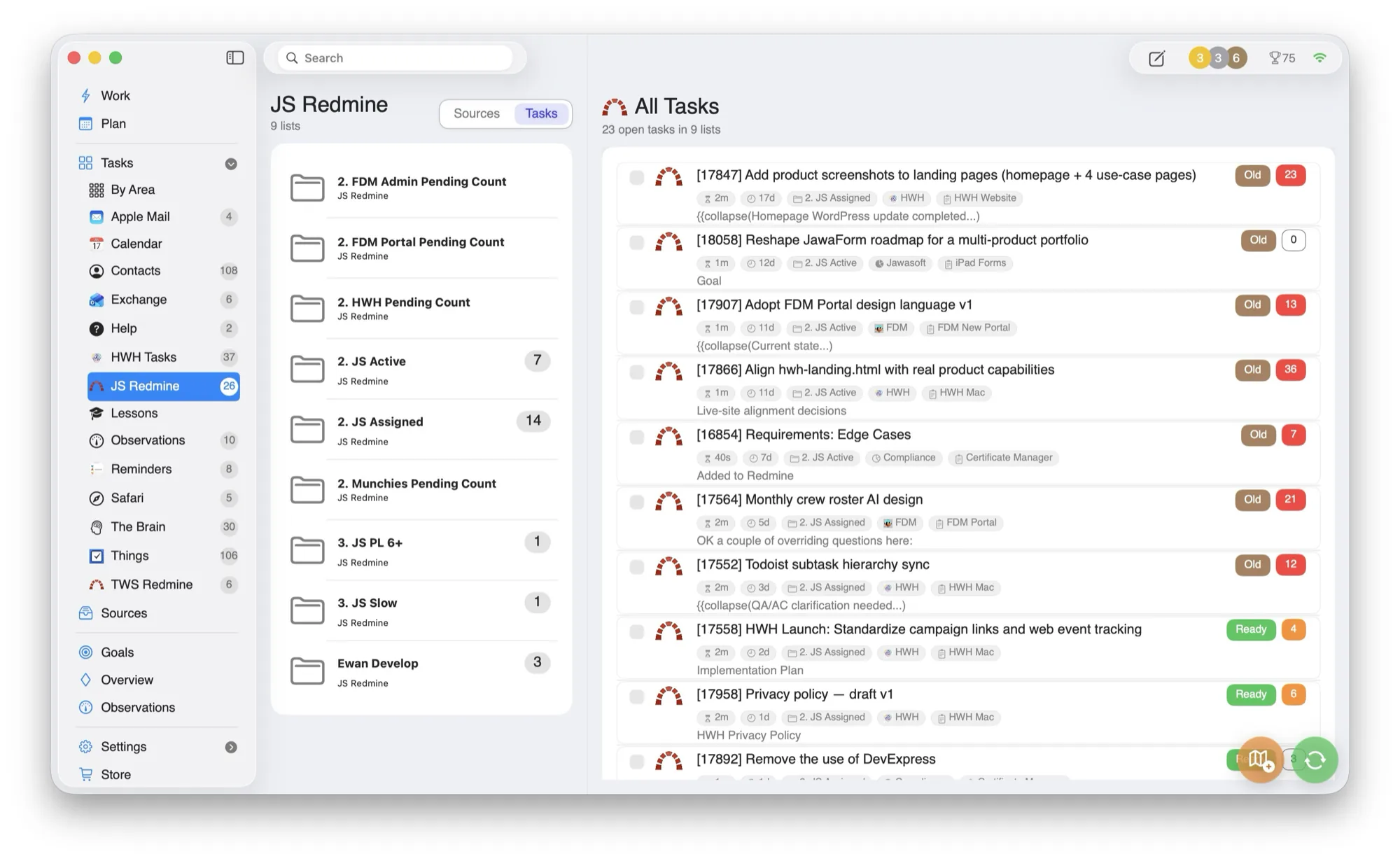
The work is everywhere. The plan is not.
HWH does not ask you to choose a new system. It reads the signals already spread across your apps and turns them into one operational view.
Messages
from mail and communications sources.
Schedule
from calendar and reminder commitments.
Tasks
from Things 3, OmniFocus, Todoist, Asana, Jira, and Redmine.
References
from Apple Contacts, Safari Reading List, and TheBrain.
One daily coordination layer across your stack.
HWH consolidates work signals from existing systems and turns them into one practical daily plan.
Integrates with what you use
Apple Mail, Calendar, Reminders, Apple Contacts, Things 3, OmniFocus, Todoist, Asana, Jira, Redmine, Safari Reading List, and TheBrain.
Less bouncing and hunting
The plan keeps next actions visible while preserving deep links to source context.
No forced replacement cycle
Keep your specialist tools and remove the coordination drag.
No lock-in
If you stop using HWH, your existing systems are still current and usable on their own.
Every source, in one place.
Mail, calendar, tasks, projects, contacts, reading, and notes feed a single plan, with live task counts so nothing slips.
- —Connect selectively. Use only the integrations that help your day.
- —Preserve source systems. HWH coordinates; it does not become the place your work gets trapped.
- —Deep links. Open the original system whenever the work needs detail.
Built around the tools you already trust.
HWH works best when it lowers coordination overhead without forcing another migration. Connect what you use today.
Be among the first to run HWH.
Join the waitlist for early access and the founder price before launch day. No spam, one note when it's ready.
Waitlist members get early access and the founder price locked in before launch. Read the privacy policy.