Stop burning energy on small decisions before real work even starts.
When every option feels urgent, HWH helps you lock onto one practical next step and start without re-triaging your whole system.
Native macOS app · Available now on the Mac App Store · Free to download, every feature earnable through use.
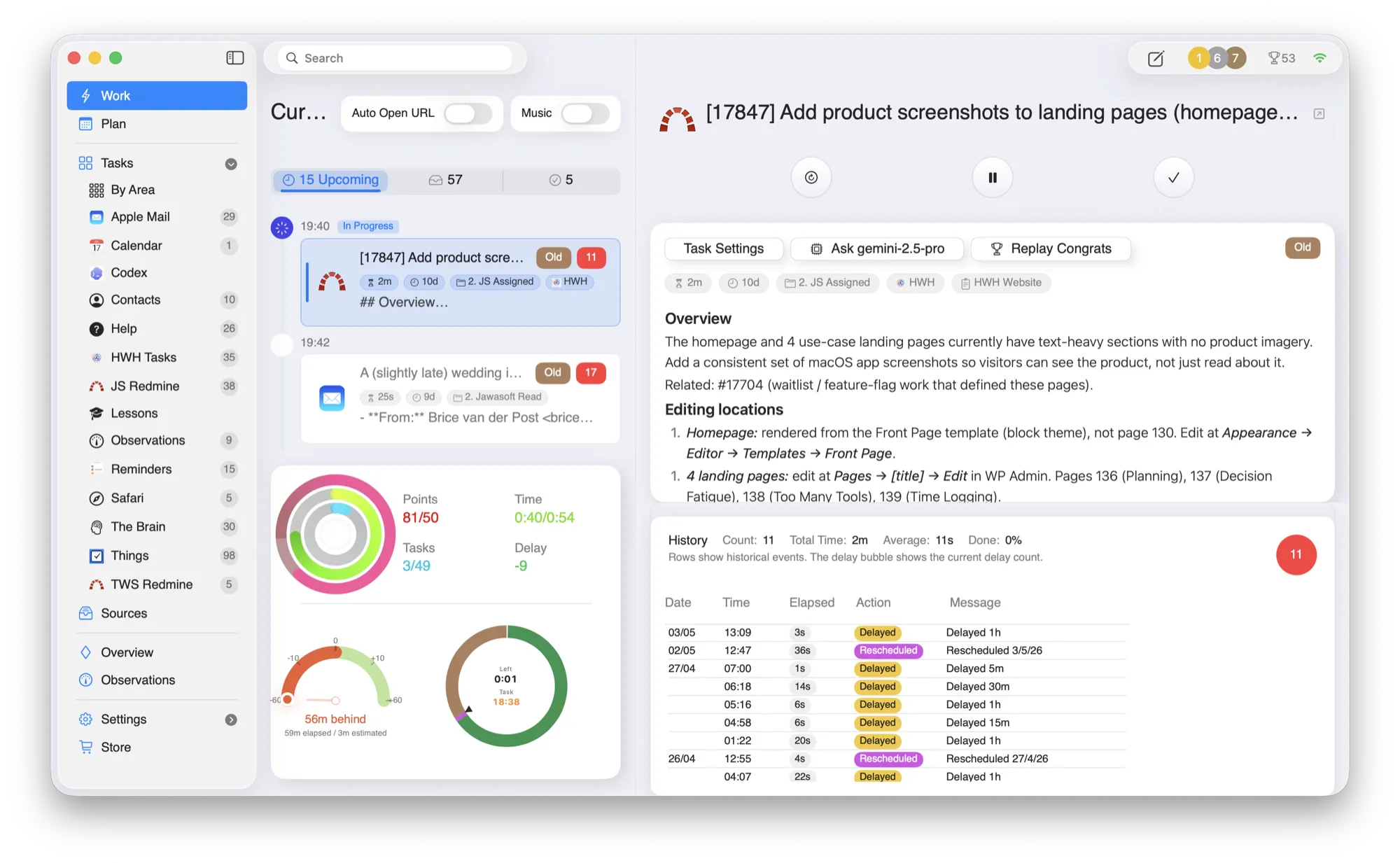
Fourteen open loops, one current task.
The plan can stay complex underneath. The Work view only asks you to handle the next thing, with the original context beside it.
Hide
the backlog until it matters.
Show
the current task, timer, and source context.
Offer
delay, interrupt, and complete without list wandering.
Load
the next task only after the current one is resolved.
Reduce choice overload without replacing your stack.
HWH curates what is visible now, so you start faster and spend less of the day deciding what to do next.
One current task
Work on exactly one task at a time instead of wandering a long list.
Source links when needed
Jump into the original context without hunting across tabs and inboxes.
Lower mental overhead
Fewer visible choices reduce re-triage throughout the day.
Replan without drama
Delay, interrupt, or complete work in one move when priorities change.
The current task, with its full context.
HWH highlights exactly one task to work now, with the source material, the email, the ticket, the note, right beside it.
- —Current task. The screen is built around what to do now, not the full backlog.
- —Clear actions. Delay, interrupt, complete, or open source context without switching modes.
- —Less re-triage. Your attention returns to execution instead of another prioritization pass.
Built around the tools you already trust.
HWH works best when it lowers coordination overhead without forcing another migration. Connect what you use today.
Make room for what matters.
Download HWH and bring your tasks, time, and priorities into one daily plan on your Mac.
Free to download, with every feature earnable through use. Read the privacy policy.
Download on the Mac App Store