Put the day through the wood chipper.
Most task managers are designed around work blocked out in hours. HWH is deliberately built for work measured in seconds—from deleting a spam email to clearing a quick approval—while still grouping work logically and tracking how your time is spent across different areas.
Native macOS app · Available now on the Mac App Store · Free to download, every feature earnable through use.
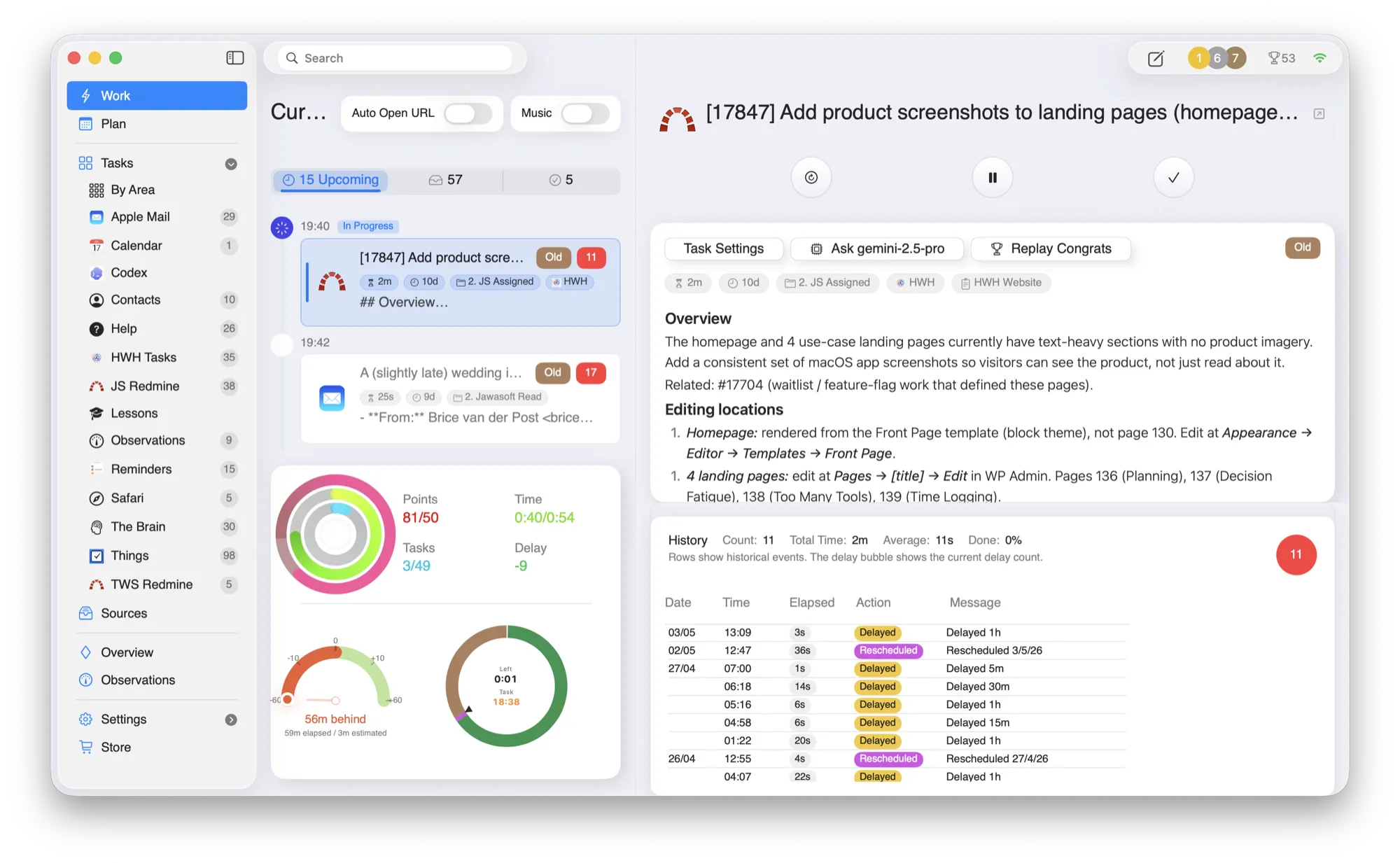
Most task managers think in hours.
Their examples are built around substantial blocks of work. Real days also contain dozens of actions that take seconds, and those actions still consume attention and time.
Seconds
Delete spam, acknowledge an update, or record a quick observation.
Hours
Keep substantial work in the same operational flow.
Groups
Choose which logical area of work should feed the queue.
Time
Retain evidence of where effort went, even when each action was brief.
The wood-chipper loop.
Feed HWH the logical group you want to work through. It keeps the interaction small while the structure and timing remain visible underneath.
Choose the group
Decide which part of work or life should feed the queue now.
Present one task
HWH brings up one task without making you scan the whole backlog.
Act with one key
Complete, delay, or skip with a supported single-key action.
Continue
The next relevant task appears so the queue keeps moving.
One microtask. One decision. Then the next.
The Work view is deliberately economical: one current task, its timer and controls, and enough context to act. That makes tiny actions practical without limiting HWH to tiny work.
- —Tasks of every size. A one-second action and a substantial ticket can belong to the same system.
- —Low-friction control. Single-key actions keep the interaction proportionate to the work.
- —Time by area. Recorded effort shows how time was spent across logical groups.
Small enough to include everything.
Low interaction friction changes what is worth recording. Tiny actions no longer need to disappear from the plan, while longer work remains fully supported.
- 1 second
Acknowledge a message
Resolve a tiny communication without losing it inside a larger inbox session.
- A few seconds
Delete a spam email
Treat cleanup as real work, act once, and move immediately to the next task.
- Under a minute
Record a quick observation
Capture a useful signal while it is current and keep its effort with the right area.
- Substantial work
Handle a Redmine ticket
Use the same current-task flow for work that takes focused minutes or hours.
Who microtask-scale work fits
- People whose day contains many brief actions that still deserve a place and a time record.
- People who want to choose a logical task group and clear it without scanning every list.
- People who need tiny actions and substantial work to coexist in one operating system for the day.
Honest limitation: HWH relies on you to choose the task group and decide the appropriate action. It supports high-throughput handling but does not promise the founder’s task volume or automatically split big work into smaller tasks.
Questions people ask
Does HWH only handle microtasks?
No. HWH handles tasks of every size. Its distinction is that the interaction remains practical even when a task takes only seconds.
Does HWH split big tasks into smaller ones?
No. Task decomposition is a separate practice. This workflow is about processing the tasks already in your chosen group with very little interaction friction.
Build a realistic sequence for the day · Reduce the choices competing for attention · See where the accumulated time went
Built around the tools you already trust.
HWH works best when it lowers coordination overhead without forcing another migration. Connect what you use today.
Make room for what matters.
Download HWH and bring your tasks, time, and priorities into one daily plan on your Mac.
Free to download, with every feature earnable through use. Read the privacy policy.
Download on the Mac App Store