Keep your tools. Lose the fragmentation.
Stop bouncing between Apple Mail, Calendar, Reminders, Apple Contacts, Things 3, OmniFocus, Todoist, Asana, Jira, Redmine, Safari Reading List, and TheBrain. HWH gives you one clear coordination layer across the stack you already use.
Native macOS app · Available now on the Mac App Store · Free to download, every feature earnable through use.
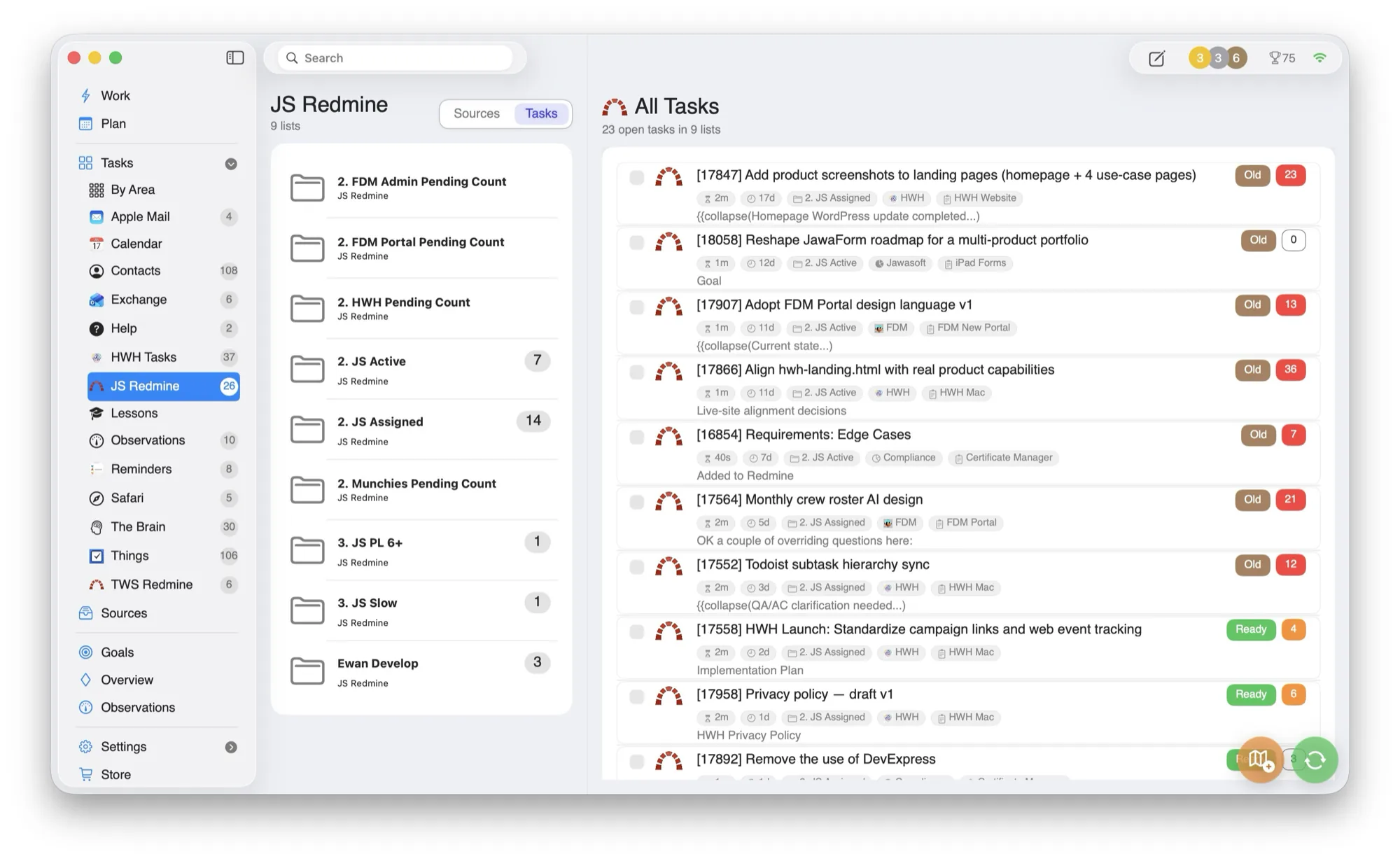
The work is everywhere. The plan is not.
HWH does not ask you to choose a new system. It reads the signals already spread across your apps and turns them into one operational view.
Messages
from mail and communications sources.
Schedule
from calendar and reminder commitments.
Tasks
from Things 3, OmniFocus, Todoist, Asana, Jira, and Redmine.
References
from Apple Contacts, Safari Reading List, and TheBrain.
One daily coordination layer across your stack.
HWH consolidates work signals from existing systems and turns them into one practical daily plan.
Integrates with what you use
Apple Mail, Calendar, Reminders, Apple Contacts, Things 3, OmniFocus, Todoist, Asana, Jira, Redmine, Safari Reading List, and TheBrain.
Less bouncing and hunting
The plan keeps next actions visible while preserving deep links to source context.
No forced replacement cycle
Keep your specialist tools and remove the coordination drag.
No lock-in
If you stop using HWH, your existing systems are still current and usable on their own.
Every source, in one place.
Mail, calendar, tasks, projects, contacts, reading, and notes feed a single plan, with live task counts so nothing slips.
- —Connect selectively. Use only the integrations that help your day.
- —Preserve source systems. HWH coordinates; it does not become the place your work gets trapped.
- —Deep links. Open the original system whenever the work needs detail.
One working day without a forced migration.
The source tool stays the system of record. HWH creates a daily coordination view across the sources you choose, then preserves the route back to the original item.
- Choose
Connect only useful sources
Enable the mail, calendar, task, project, contact, reading, or notes integrations that reduce coordination work for you.
- Collect
Build one operational view
Bring the selected commitments into a common daily plan without copying an entire project workspace into a new system.
- Work
Keep source context nearby
Open the original email, task, ticket, contact, or note when the current task needs deeper detail.
- Finish
Leave the source tool current
Supported actions update the connected source where appropriate, so stopping HWH does not strand your work in a private format.
Who this coordination layer fits
- Consultants and operators whose commitments arrive through several client systems.
- People using both Apple apps and web-based task or project tools.
- People who want no forced migration and no lock-in to a replacement task database.
Honest limitation: HWH does not turn every integration into the same two-way workflow. Some sources are read-only and others support selected writes. The privacy policy documents the current behaviour source by source.
Questions people ask
Does HWH copy everything from a connected account?
No. You select the source or scope used by HWH, and each integration reads only the fields required for its current workflow.
Can I disconnect a source?
Yes. Disconnecting stops further requests. Data already written to the source stays there, and locally cached copies follow the controls described in the privacy policy.
Turn the combined inputs into a realistic daily plan · Review the exact data flow for each integration · Read why Ewan built HWH
Built around the tools you already trust.
HWH works best when it lowers coordination overhead without forcing another migration. Connect what you use today.
Make room for what matters.
Download HWH and bring your tasks, time, and priorities into one daily plan on your Mac.
Free to download, with every feature earnable through use. Read the privacy policy.
Download on the Mac App Store